Would you like your television to do more than just show movies? What if it could help you work, study, and use all your favourite apps without buying a costly computer? Now that is possible!
A new cloud-based service has made it super simple for any household to get started with computing. This means that anyone with a compatible TV and internet can now turn their living room into a digital workspace.
What is JioPC?
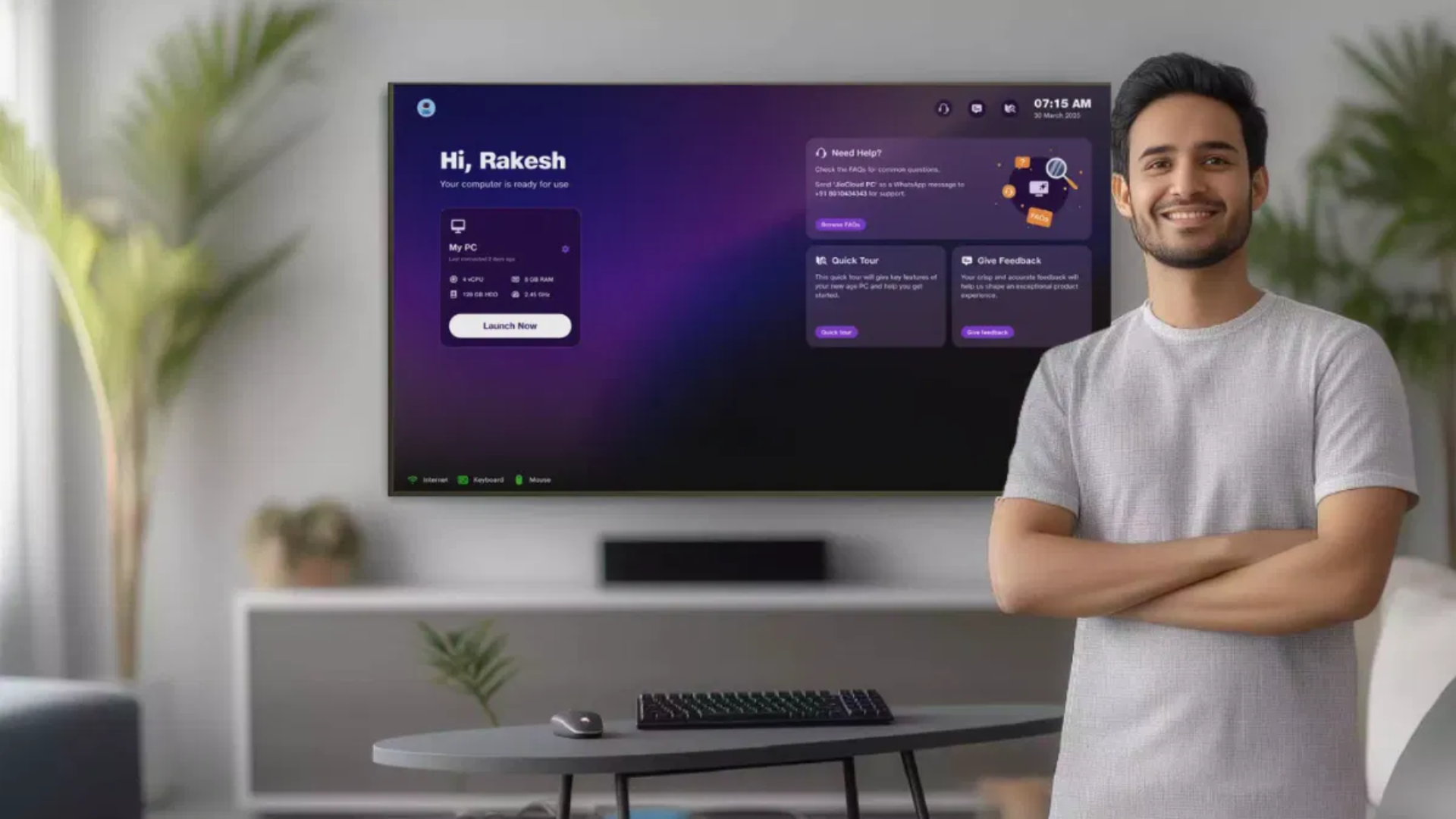
JioPC is a cloud desktop service that allows you to use your TV as a computer. Using a small device known as a set-top box, you can connect a keyboard and mouse to start browsing the web, writing documents, learning online, and running different apps. All the heavy work happens in the cloud, so your TV just acts as a window to your personal computer.
Key Benefits
- Cost-Effective: No need for an expensive PC. Just use your existing TV, a set-top box, and basic accessories.
- Simple Setup: Plug in a keyboard and mouse, connect your set-top box to the TV, and you’re ready to go.
- Always Up-to-Date: All updates happen online, so you never need to worry about maintenance or repairs.
- Safe and Secure: All your files are stored safely in the cloud, so you won’t lose anything if you change your TV or set-top box.
What Can You Do with JioPC?
- Browse the Internet: Surf your favorite sites easily.
- Work on Documents and Spreadsheets: Comes pre-loaded with open-source office tools for word processing, presentations, and more.
- Online Learning: Attend virtual classes, watch educational videos, and do assignments.
- Use Apps: Access useful and fun applications directly through the service.
Getting Started: Simple Steps
- Connect the Set-Top Box: Attach the device to your TV and ensure it’s powered on.
- Plug in Accessories: Use a USB or Bluetooth keyboard and mouse.
- Open the JioPC App: This is usually found in the apps section on your TV interface.
- Sign Up/Login: Fill in your details, create your account, and you’re all set.
- Start Using: Click on the “Launch Now” button and begin your digital experience.
Who is JioPC Perfect For?
- Students for homework and e-learning.
- Professionals working from home.
- Families who want to browse the web or manage household tasks.
What Should You Know?
- Subscription or One-Time Cost: You can choose a regular subscription with your television plan or pay a one-time fee.
- Good Internet Needed: Since the service works from the cloud, a steady internet connection is required.
- Free Trial: You might be able to try out the service for free through an invitation.
Features Coming Soon
- Support for more devices like printers and cameras.
- More advanced apps and collaboration tools.
- Even smarter features as the service grows.
With JioPC, bringing a simple, affordable computer into your home is easier than ever. Whether you’re learning, working, or just exploring the web, all you need is a TV, set-top box, keyboard, and mouse to unlock a whole new digital world right from your sofa.